What Are the Best Mobile POS Systems in China?

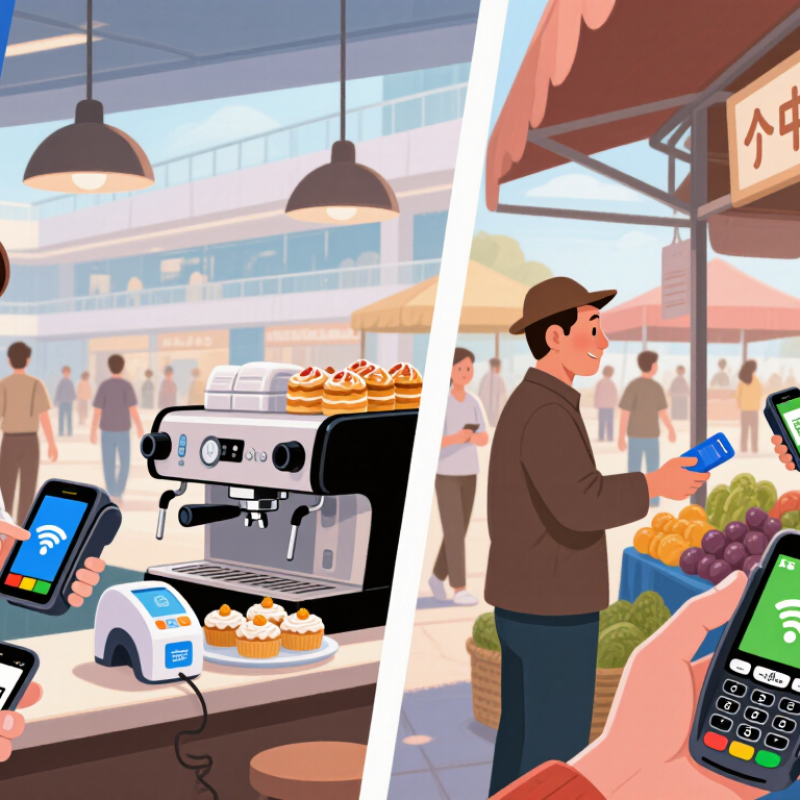
Choosing a mobile point-of-sale system in China is not just a hardware decision. A busy café may need quick table-side payments, while a market stall may depend on a handheld terminal and a clear QR code. The best mobile pos systems should fit the way a business serves customers, not simply offer the longest feature list. Speed matters.

This guide compares the practical details that shape daily use: support for commonly used payment methods, such as Alipay, WeChat Pay, and UnionPay; reliable connectivity; battery life; and straightforward inventory tools. A compact reader can suit a small shop, while a larger Android terminal may help staff manage orders and print receipts from one device. The right choice depends on transaction volume, location, and existing software.

Look beyond the sales pitch. Ask how the system handles weak Wi-Fi, whether staff can learn it quickly, and what support is available when a terminal stops working during a lunch rush. Check pricing carefully, including hardware, subscriptions, and payment-related fees. Local business needs and available integrations can differ, so a system that works well for one retailer may frustrate another. No comparison can replace a hands-on trial. If possible, test the checkout flow with real staff before committing. A small detail, like an awkward refund screen, can become a daily annoyance. These criteria offer a grounded starting point for comparing mobile POS options in China.
What Are the Best Mobile POS Systems in China?

What Is a Mobile POS System and How Is It Used in China?

A mobile POS system turns a smartphone or tablet into a portable checkout. It typically combines sales software with a camera, receipt printer, or payment reader. Staff can scan an item, enter its price, accept payment, and send a digital receipt without returning to a fixed counter. Some systems also track stock and record sales for later review.

In China, mobile POS tools are used in cafés, small shops, market stalls, and delivery workflows. A worker might take an order at a table, confirm payment through a supported mobile payment method, and update the sale immediately. QR-code payments are common, but available options depend on the provider, customer, and business setup. They are not universal. The merchant should check which payment methods the system supports before relying on it during a busy shift.

A useful system should make prices and refunds easy to verify, restrict staff access where appropriate, and protect customer and sales data. Owners should also test receipts, reporting, and payment records before daily use. Still, it is not magic. Poor connectivity, a drained battery, or confusing menus can slow a queue. Keep a charged device and a backup process nearby; even a simple paper record can help when the network drops.

How Do Mobile POS Systems Process Payments and Manage Sales?

A mobile point-of-sale system turns a phone or tablet into a checkout station. Staff enter items or scan barcodes, and the screen calculates the subtotal, discounts, and any applicable tax. The customer can then pay using an accepted method, such as a payment card or QR code. Some shops also record cash payments in the same system. A clear confirmation helps both sides know when the sale is complete.

Payment processing usually involves sending transaction details through a secure connection to a payment provider. The system displays approval or failure, then creates a digital receipt. If the network drops, payment handling depends on the device and service settings; staff should not assume every transaction went through. Check the status. That small pause can prevent duplicate charges and awkward conversations.

After checkout, sales data can update daily totals and item counts. Managers can review busy hours, popular products, and refunds from a dashboard, while staff may use the same device to check stock on the shop floor. These records are useful, but not magic. A neat dashboard can still hide messy stock records if items were entered incorrectly or adjustments were missed. Regularly compare system reports with actual cash and inventory. The process is quick when setup is thoughtful, though the first few days may feel clumsy.

What Criteria Help Compare Mobile POS Systems in China?

When comparing mobile POS systems in China, check whether they accept the payment methods customers actually use, including QR-code payments and bank cards. The 2024 Global Payments Report estimated that digital wallets accounted for 66% of in-store transaction value in China in 2023. That makes payment acceptance a practical test, not a checkbox. Ask how quickly transactions appear, what happens when a scan fails, and whether staff can issue refunds from the device.

Connectivity and resilience matter just as much. Test the terminal on store Wi-Fi and mobile data, then check its behavior during a brief connection drop. The China Internet Network Information Center reported 969 million online payment users in June 2024, or 88.1% of internet users. A large user base does not guarantee smooth checkout, though. Watch for delays during busy periods. Small details matter.

Compare transaction fees, settlement timing, receipt options, inventory links, and compatibility with existing accounting tools. Check battery life during a full shift, screen readability under bright shop lights, and whether the device is comfortable to hold at a crowded counter. Ask how access controls and data protection are handled, and review support hours in China. A neat specification sheet can still mislead. No scorecard is perfect; a short trial with real staff may reveal friction that a sales demo misses.

Which Mobile POS Systems Are Commonly Used by Chinese Businesses?

In China, commonly used mobile POS systems are practical, compact setups rather than one standard device. Small restaurants and shops often use a countertop tablet or phone linked to a receipt printer and payment reader. Market sellers and delivery staff may prefer a handheld terminal with a screen, printer, and cellular connection. Simple QR-code acceptance is also widespread, especially where counter space is limited. It is quick to set up, but staff still need a clear way to match payments with orders.

CNNIC’s 53rd Statistical Report on China’s Internet Development recorded 954 million online-payment users in December 2023. That represented 87.3% of internet users. This shows the scale of digital payment use, not the number of POS terminals installed. The distinction matters. A retailer choosing a system should check whether it supports card and QR payments, handles unstable connections, and prints legible receipts. For a busy noodle shop, a short payment queue may matter more than advanced inventory features. For a mobile vendor, battery life and a reliable network can matter more. There is no single best setup; even familiar devices can prove awkward during a lunch rush.

What Are the Best Mobile POS Systems in China?

Which Mobile POS Systems Are Commonly Used by Chinese Businesses?

China’s large and growing online-payment user base provides useful context for businesses choosing mobile POS capabilities. These figures measure online payment users—not POS system sales, market share, or rankings.

Source: CNNIC, 50th and 51st Statistical Reports on China’s Internet Development. Percentages in labels show the share of internet users.

How Can Businesses Choose a Mobile POS System in China?

Choosing a mobile POS system in China starts with the checkout, not the feature list. The CNNIC 54th Statistical Report (2024) estimated 1.10 billion internet users, or 78% of the population. That scale signals a highly connected market, but it does not guarantee reliable service inside every shop. Test QR and card payments, refunds, and split bills with the payment methods your customers actually use.

Check how the device performs during a real rush. A cashier should be able to scan an item, apply a discount, and issue a receipt without switching between several screens. Test Wi-Fi and cellular connections in the shop’s weakest signal area, such as a basement or back counter. Ask whether sales can continue briefly during an outage and sync safely afterward. Small delays matter. One easy mistake is trusting a polished demo; it cannot show how a terminal behaves in a lunch queue.

Then compare total costs, integrations, and support. Confirm fees, device replacement terms, software updates, and whether sales data can connect to inventory and accounting tools. Review access controls, encryption, and data export options with your IT adviser. Run a short pilot across a quiet shift and a busy one. Track failed payments and checkout time. The “best” system may still need adjustment to fit your staff’s habits.

What Are the Best Mobile POS Systems in China? — How Can Businesses Choose a Mobile POS System in China?

Selection Dimension Suggested Weight What to Check Strong Fit for Businesses That… How to Verify Before Purchase
Payment acceptance 25% Confirm support for the payment methods customers actually use, such as QR-code payments and bank-card acceptance. Check supported transaction types, refunds, settlement timing, and any payment-provider or acquiring requirements. Serve a mix of domestic customers, cardholders, or international visitors and need a dependable checkout process. Run test sales and refunds for each required payment method. Obtain written confirmation of fees, settlement schedules, and account eligibility.
Device and mobility 15% Compare a handheld smart POS terminal, a smartphone-based setup, and a tablet POS with peripherals. Assess battery life, screen readability, scanner or printer options, durability, and ease of carrying. Take orders or payments at tables, in queues, at market stalls, on delivery routes, or across multiple service areas. Test the device during a representative shift. Check battery performance, connectivity, printer and scanner compatibility, and replacement-device availability.
Connectivity and offline handling 15% Check Wi-Fi and mobile-network compatibility, reconnect behavior, and whether essential functions remain available during a connection interruption. Offline card payments, where offered, may be restricted and carry additional risk. Operate in busy venues, older buildings, temporary locations, or areas where network coverage can vary. Test the system in the actual venue and ask which actions are available offline, how queued data is synchronized, and what happens if a transaction cannot be confirmed.
Inventory and order workflow 12% Evaluate product and modifier management, stock adjustments, discounts, split or combined orders, table or queue workflows, and synchronization between devices. Manage many products, multiple counters, table service, stock-sensitive sales, or frequent order changes. Rehearse common and exception workflows, including a void, refund, stock change, and order handoff between staff members.
Receipts, invoices, and accounting 10% Check receipt formats, sales exports, reconciliation tools, and whether the solution can connect to the business’s invoicing and accounting processes. Confirm any applicable fapiao workflow with the provider and a qualified local adviser. Need consistent end-of-day reconciliation, management reporting, or an organized process for customer invoice requests. Review sample reports and exports. Trace a test transaction from payment through reconciliation and the business’s required invoicing process.
Security and data protection 10% Review user permissions, authentication, device controls, data encryption, retention, backup, incident response, and the handling of personal information. Assess obligations that may apply under China’s data-protection and cybersecurity rules. Handle customer information, operate several devices, or need clear controls over staff access and business records. Request current security documentation, a data-flow description, and contract terms covering access, storage, deletion, and incident notification. Seek qualified advice on applicable requirements.
Integration and business scale 8% Check documented integrations or export options for accounting, inventory, e-commerce, loyalty, and other systems. Confirm multi-store controls, user limits, and API availability if needed. Already use business software or plan to add locations, sales channels, or reporting needs. Test a real data export or integration in a trial environment. Confirm setup effort, ongoing charges, and what happens if an integration changes.
Total cost and support 5% Compare device costs, software subscriptions, transaction charges, connectivity, accessories, support, replacement, and contract or cancellation terms. Want predictable operating costs and support that matches business hours and location. Request a full cost schedule and service terms. Confirm support channels, response expectations, warranty coverage, and device replacement procedures.

How to use this guide: The weights are suggested starting points, not an independent ranking. Score each shortlisted system against the same requirements, then prioritize payment-method compatibility, practical device testing, and clear written terms.